🎮 How to Play BlockForge
- WASD to move, mouse to look (click to capture the cursor)
- Left-click to mine and attack, right-click to place, eat, open chests and doors
- 1-9 or scroll wheel to pick a hotbar slot, E for inventory and crafting
- Play Online: join the public world or share a private room code with friends — chat with T
- Punch trees for wood, craft a pickaxe, smelt ores in a furnace, store loot in chests
- Build a shelter before dark — zombies, skeletons and creepers spawn at night
- Sleep in a bed to skip the night; craft a bow and armor for the night-7 boss
- Singleplayer worlds auto-save in 3 slots; online worlds live on the server
✨ Game Features
Online Multiplayer
Shared worlds with friends — co-op building, chat and PvP via simple room codes
Infinite 3D Worlds
Procedural terrain with biomes, caves, ores and lakes — every seed is different
Deep Crafting
Furnaces, chests, beds, bows, armor, farming, rails and TNT across full tool tiers
Survival Nights
Zombies, skeleton archers, creepers — and the Zombie Brute boss every 7th night
ℹ️ About BlockForge
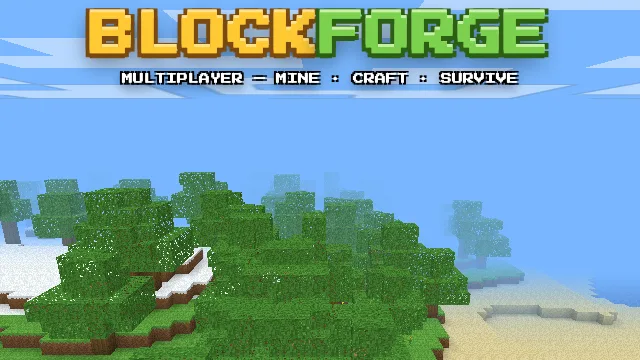
BlockForge is a complete first-person 3D Minecraft-style experience that runs entirely in your browser — now with online multiplayer. Join the public world or create a private room and share the code with friends: build together, chat, fight each other in PvP, and survive the night side by side. Explore endless procedurally generated worlds with forests, deserts, snowy peaks and caves. Punch trees, smelt ores in real furnaces, store loot in chests, farm wheat, ride minecarts, sleep in beds to skip the night, and gear up with a bow and armor for the Zombie Brute boss that hunts every seventh night. Prefer solo play? Three singleplayer world slots save automatically in your browser.
Difficulty: Medium
Controls: WASD + Mouse
Play BlockForge free in a modern web browser with no download or account. Keyboard, mouse, touch and gamepad support vary by title; the controls above describe this game’s current build.